Skip the Setup: 7 Browser Tools That Get You Writing Code in the Next 10 Minutes
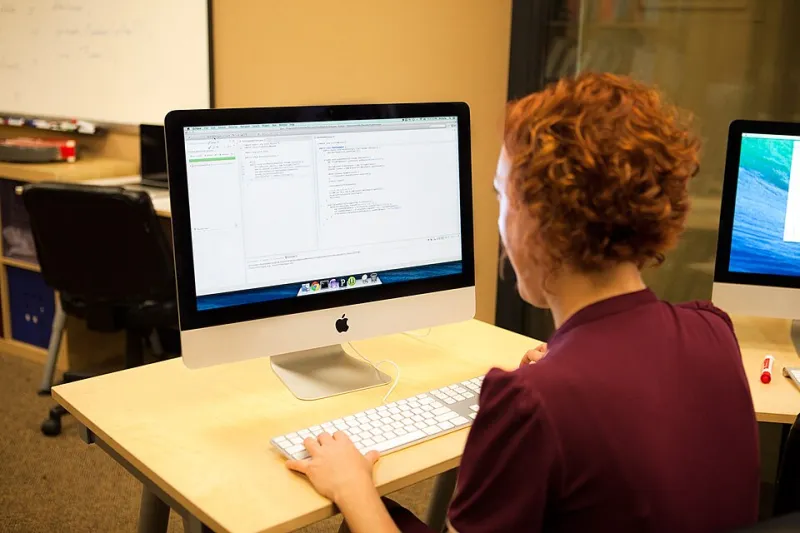
Photo: Joonspoon, CC BY-SA 4.0, via Wikimedia Commons
Ask around and you'll hear the same story: someone gets excited about learning to code, spends a whole Saturday installing software and configuring things they don't understand yet, and by the time everything works, the excitement is gone. The setup killed the momentum before the learning even started.
Good news: you can skip all of it. Your browser is already a fully capable coding classroom, and every tool below runs without downloading a thing. Fire one up in a tab, and you're practicing in minutes.
1. CodePen — for HTML, CSS, and JavaScript
Best for: Seeing instant visual results. Type code on the left, watch a webpage build itself on the right. CodePen is the classic playground for front-end work, and the community gallery is a endless source of "wait, how did they do that?"
Limitations: Multi-file projects get clunky, and back-end work is off the table.
First project: Build a personal business card — your name, a photo, a button that changes the background color when clicked. Small, satisfying, entirely yours.
2. Replit — for real programming languages
Best for: Python, JavaScript, and dozens of other languages, with full projects that save and run like a lightweight IDE. When you outgrow one-off snippets, this is the natural next stop.
Limitations: The free tier has speed caps, and big projects feel sluggish compared to a local setup.
First project: A Python number-guessing game. It teaches loops, conditionals, and user input in about 30 lines.
3. SQLBolt — for databases
Best for: Learning SQL through short interactive lessons where you query real tables right in the page. Databases intimidate beginners, and SQLBolt removes basically all of the friction.
Limitations: It's a tutorial series, not a sandbox — once the lessons end, you'll want a different home.
First project: Finish the lessons, then challenge yourself: write a query that finds the top 3 customers by total orders. Bonus points if you can explain every word of it.
4. MDN Playground — for trustworthy experimentation
Best for: Quick JavaScript, CSS, and HTML tests backed by MDN Web Docs, the closest thing the web has to an official encyclopedia. When a tutorial says something confusing, test it here and see for yourself.
Limitations: Bare-bones by design. No saving, no community, no frills.
First project: Break things on purpose. Change a CSS value and predict what happens before you hit run. Being wrong on purpose is a shockingly good teacher.
5. freeCodeCamp — for structure
Best for: When "playground energy" runs out and you need an actual curriculum. Its in-browser editor walks you through thousands of bite-sized exercises, and you can earn free certifications along the way.
Limitations: Less free-form than the tools above; you're following their path, not exploring yours.
First project: Complete the first 20 JavaScript exercises in one sitting. It's very doable, and the momentum matters more than the content.
6. JSFiddle — for testing snippets
Best for: The classic "quick, let me check something" tool. Paste a snippet from a tutorial, run it, tweak it, share the link with a friend or a forum.
Limitations: The interface feels a bit dated, and CodePen has largely out-polished it for public showcase work.
First project: Take any code example from a blog post you've read recently and get it running here. Reading about code and running code are different skills.
7. Google Colab — for Python and data
Best for: Notebook-style Python coding, popular with students and data folks across US universities and beyond. Free access to serious computing power, including GPUs, right in a browser tab.
Limitations: The notebook format takes a little getting used to, and it's overkill for basic web stuff.
First project: Load a CSV of something you care about — baseball stats, your city's open data — and answer one question about it with a few lines of Python.
How to Actually Use These
Don't try all seven. Pick one based on what made you curious in the first place: want to build websites? CodePen. Curious about data? Colab or SQLBolt. Need a plan? freeCodeCamp.
Then give yourself one tiny project per week. The tools are free and instant — the only real investment is the twenty minutes a day you spend in the tab. That's the whole trick: lower the friction until starting costs you nothing, and let momentum handle the rest.